Where the delay in B2B settlements really comes from
In B2B distribution there is a recurring bottleneck. A customer has an overdue invoice, so their trade credit limit is blocked. A new order is on hold, and when the goods rotate fast (fresh food, short shelf life), every hour of delay is a real cost.
The interesting part is where the delay actually sits. It is rarely that the customer has no money. Usually the problem is more mundane. The customer forgets about the transfer or puts it off, so you have to remind them, sometimes chase them several times, occasionally even push, before they finally sit down and pay. When they do, they make an ordinary transfer, retype the account number, amount and reference, and sometimes make a mistake. And then you still wait for the funds to be booked before you can safely release the order. Added up, these small frictions stretch the whole thing from hours to days, and often longer, because it gets stuck at "I will pay tomorrow".
Open banking (PSD2) changes two things in this process: who prepares the transfer and when you get certainty that the money will arrive.
What this widget actually is
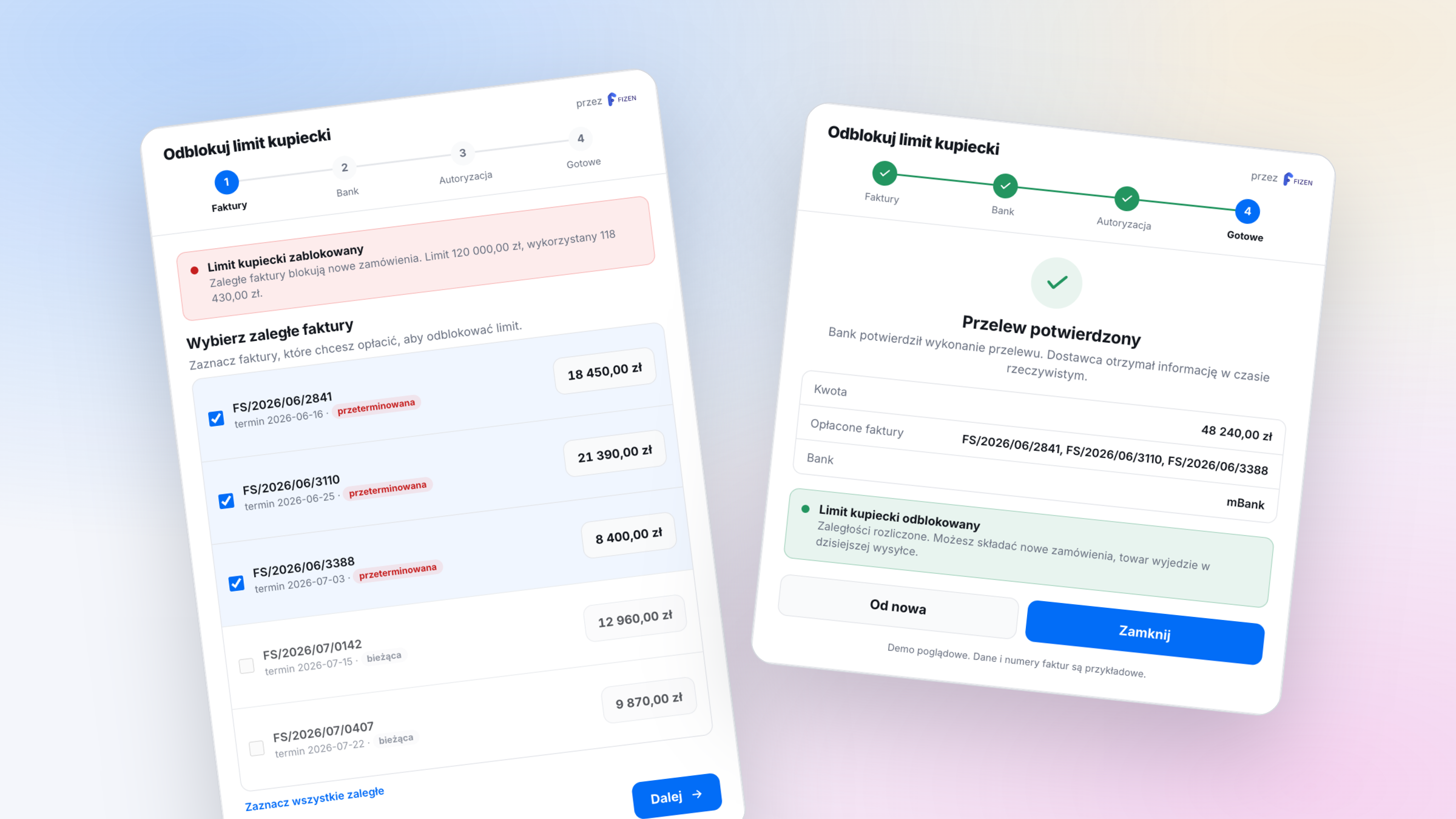
It is a component that gives the customer a ready pay and unblock flow, and it can be delivered in two ways. First, as a view embedded in the B2B panel, where each customer sees their overdue invoices, selects what they want to pay, and runs the transaction. Second, as a link with payments already predefined (for example specific overdue invoices or an agreed partial amount) that the customer just opens and approves. Instead of another reminder you send a transfer that is ready to confirm. In both cases the data is prepared in advance, and all that is left for the customer is the approval.
Step 1. Pick the overdue invoices
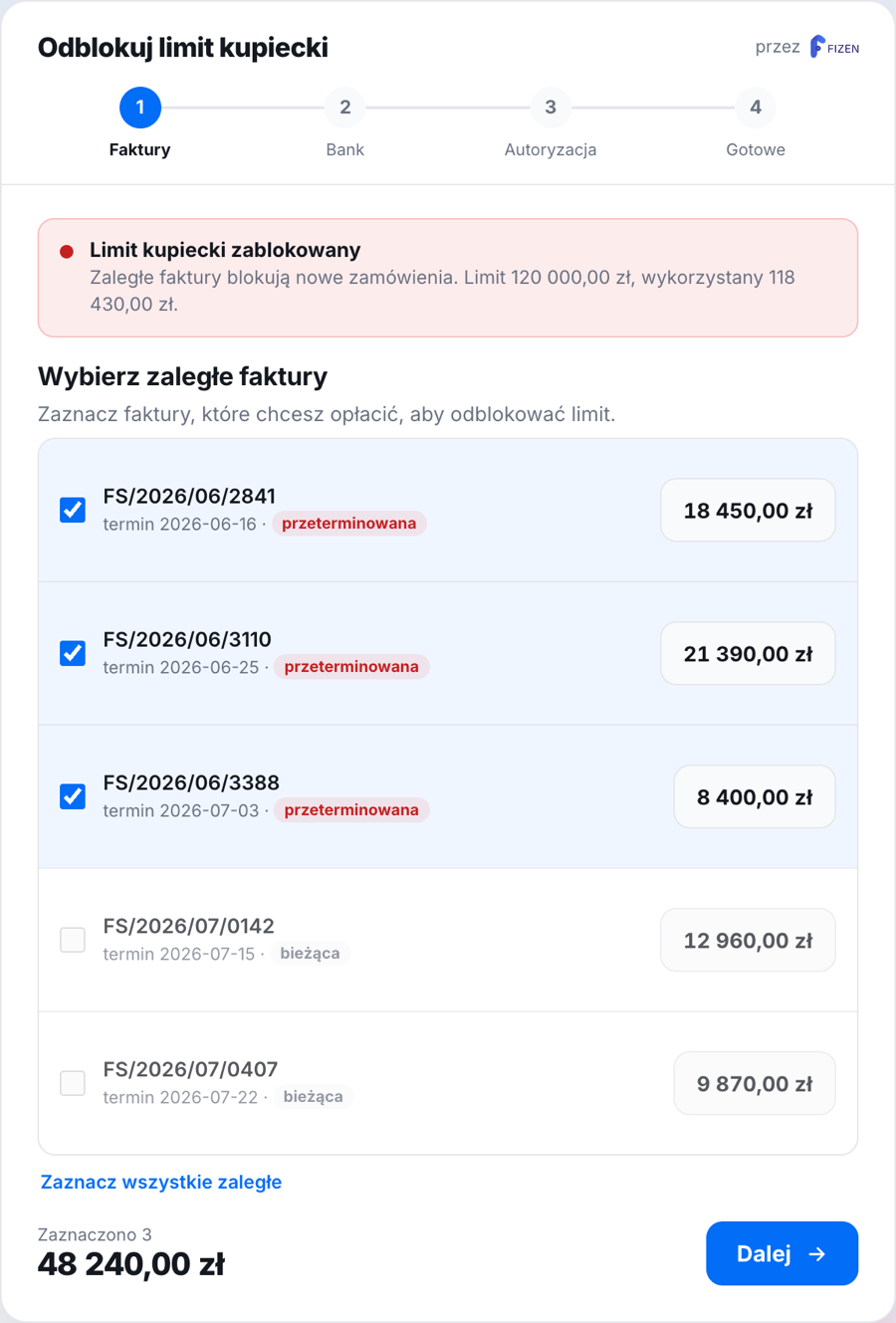
Instead of hunting for transfer details, you just tick the overdue invoices to be paid. The system knows the amounts and references, so the total is ready right away. Current, not yet due invoices are inactive.
Step 2. Choose the bank
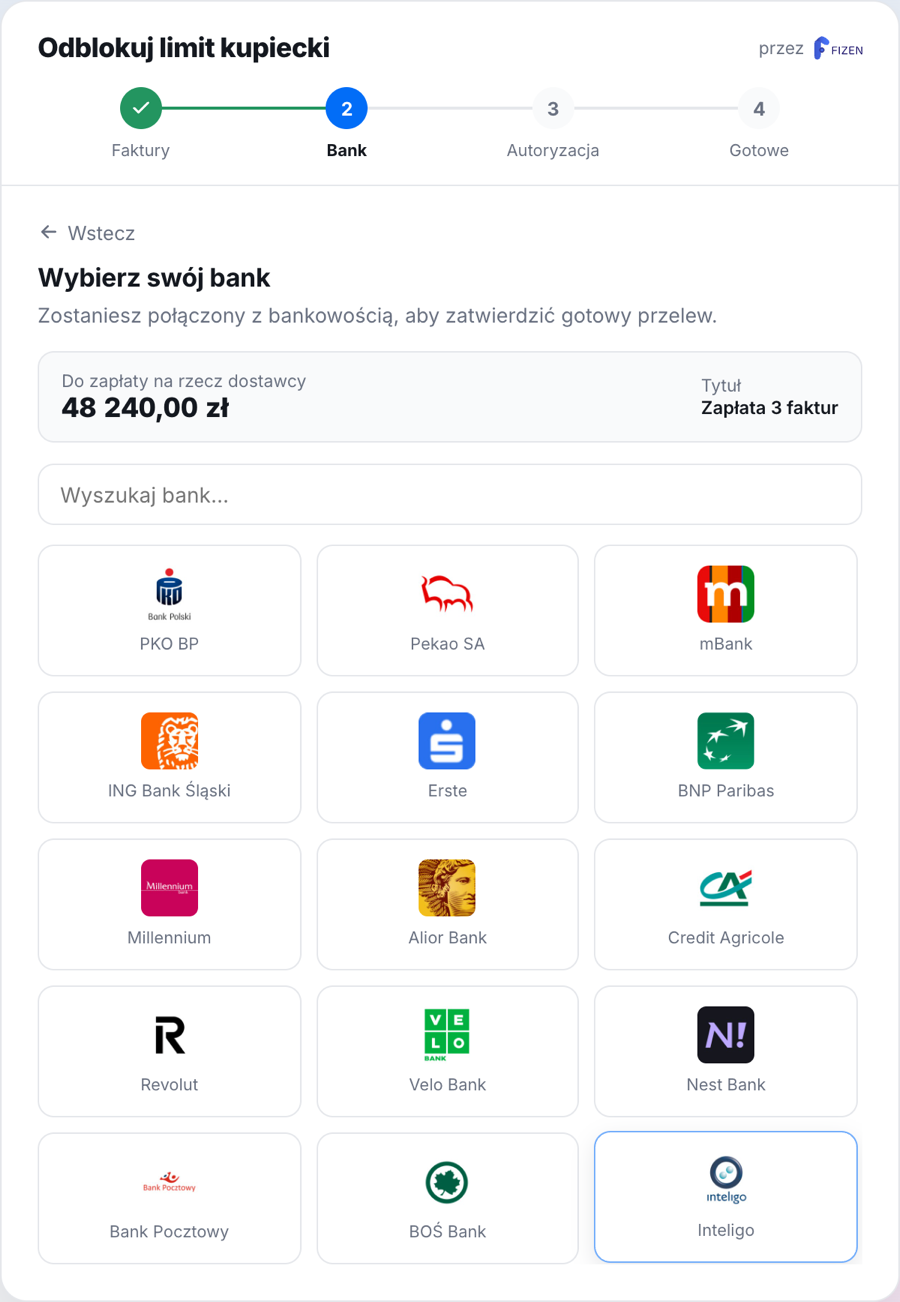
The payer selects their bank. The amount and reference are already set, nobody retypes an account number.
Step 3. Authorize at the bank
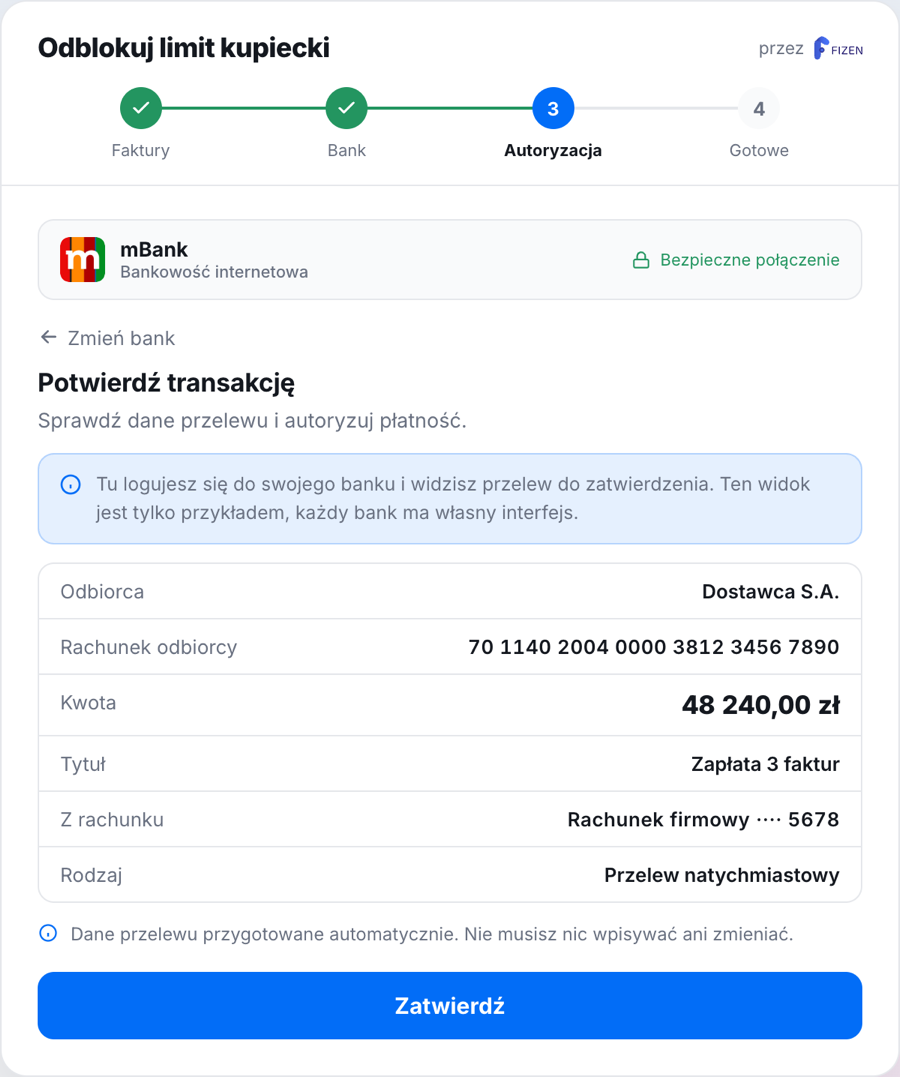
Here the payer logs into their banking and sees a ready transaction: the recipient, account number, amount and reference. The data is filled in automatically through the API (payment initiation service, PIS). The human role comes down to checking and approving.
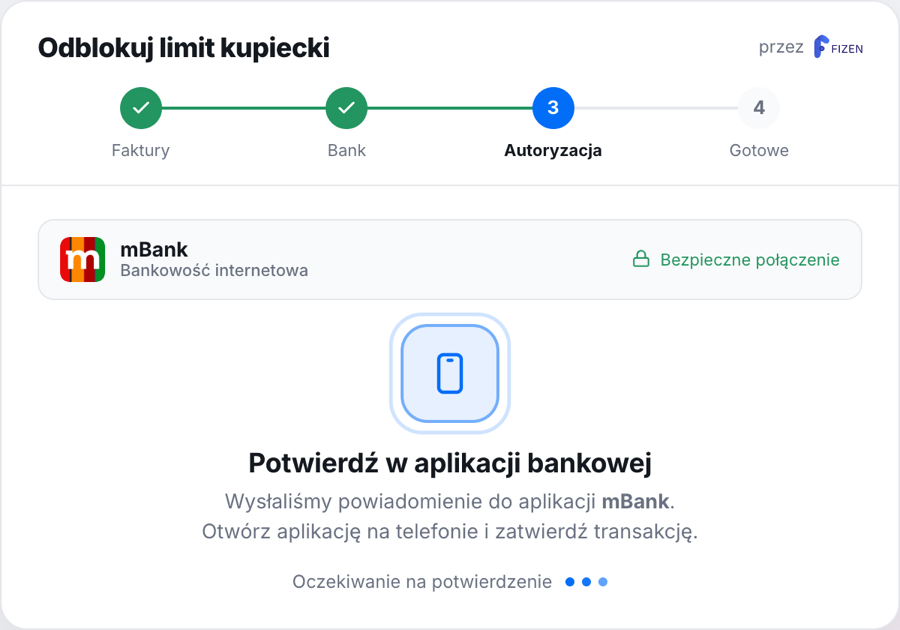
The customer confirms the transfer the way they always do, in the app, with a code or BLIK, which is strong customer authentication (SCA).
Step 4. Confirmation and unblocking
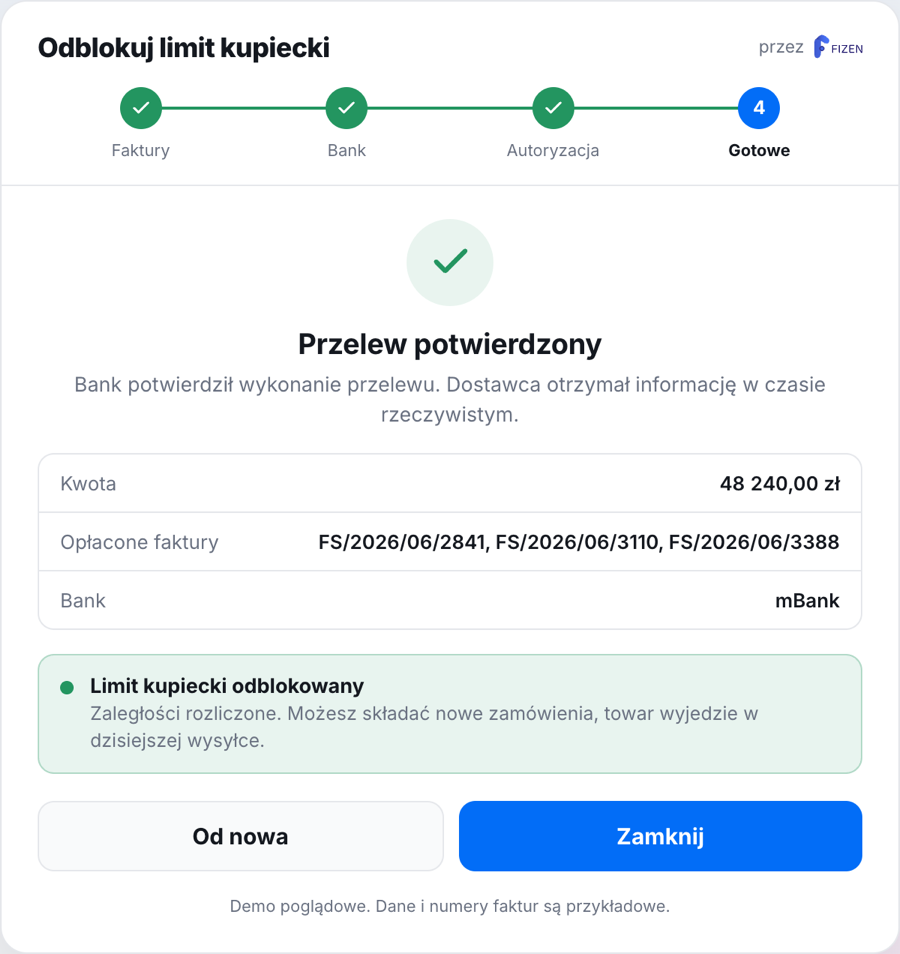
The recipient gets confirmation of the initiation in real time, so the limit can be released at once, without waiting for the funds to be booked. The order ships the same day.
You can also split it smarter
Since the system prepares the payment rather than the customer looking for details, there is room for flexibility. Instead of an all or nothing stance (pay everything or do not order), you can offer the customer a specific set of invoices or a partial repayment for now, just enough to release the limit and start the next order. The rest can be spread over time. Instead of collections style pressure, the customer gets a ready, easy to accept action that unblocks them too.
Why it is faster
- The system prepares the transfer, not the payer by hand. Typos in the account number and wrong references disappear, and those are the most common reasons a payment does not match an invoice.
- Confirmation from the bank arrives immediately after authorization. The decision to release the limit is based on that confirmation, not on an end of day statement.
- The transfer goes directly account to account, so there is no chargeback mechanism known from cards.
Not just one industry
The same pattern fits anywhere a B2B customer has a balance with a supplier: wholesalers, distribution, franchise networks, marketplaces. The name of the problem varies (trade credit limit, overdue receivables, a blocked order), but the mechanics of the solution are the same. The repeatable, manual part of the process is taken over by technology, and the person is left with the decision and the approval.
The main takeaway is probably this: it is no longer a vision of the future or a big multi month implementation project. Open banking has been available in Poland for a long time, and wiring such a flow into an existing B2B panel or ERP is a matter of integrating with a single API, not rebuilding the system.